

DataMagic Technical Column Vol.21
<DB Migration Edition>
Introduction
In this TIPS, we will introduce the benefits of using DataMagic for database data migration work.
Data Migration Challenges
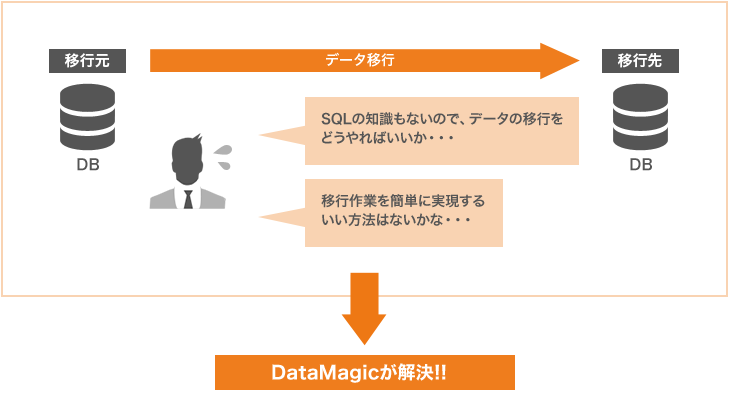
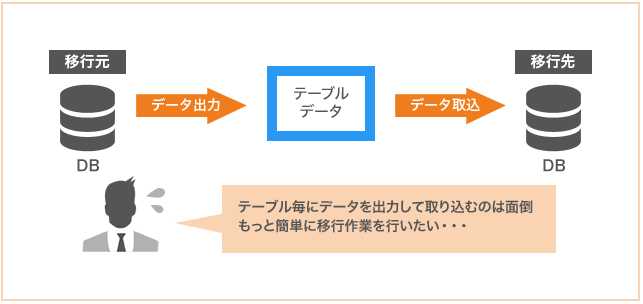
When migrating from an existing system to a new one, it is common to migrate data from the existing system to a different database. It is also common for data migration to involve a database using another company's RDBMS, rather than the same RDBMS. In such cases, it is necessary to be aware of data types and sizes, and data migration is not easy without knowledge of SQL. For this reason, there are many cases where data migration work is carried out at great expense.
DataMagic solves these data migration challenges.
Data migration challenges
Simple DB data migration settings
DataMagic can help you solve your data migration challenges.
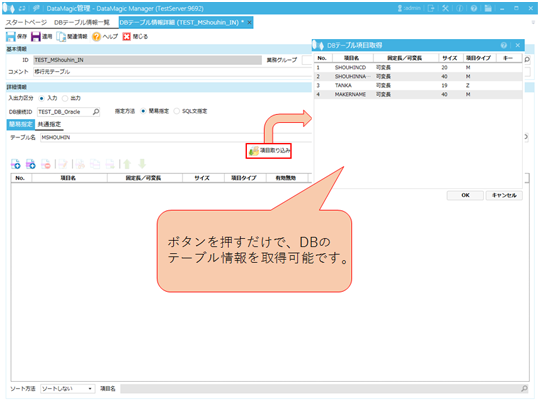
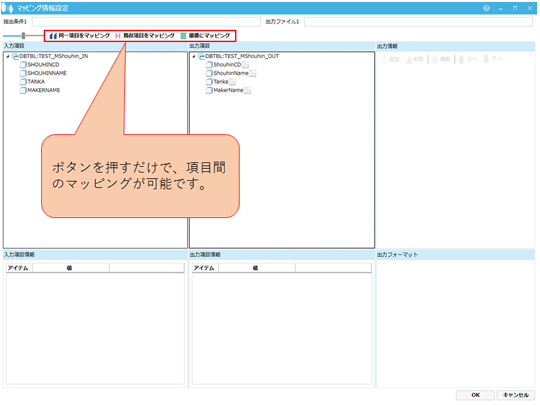
DataMagic allows you to configure DB data migration settings through screen operations. Settings can also be created without having to worry about SQL statements. DataMagic 's functions allow you to reference table information and obtain table item information. DB table information can be easily configured.
Issues when obtaining table information
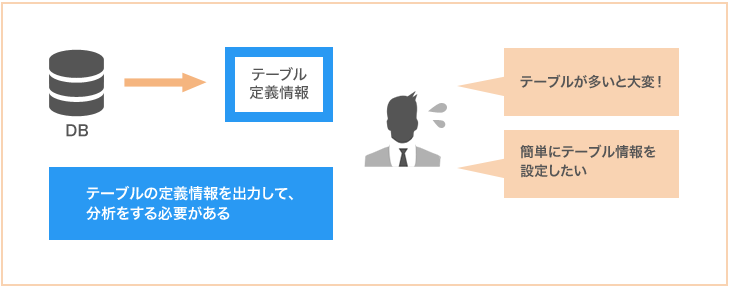
Read DB table item information
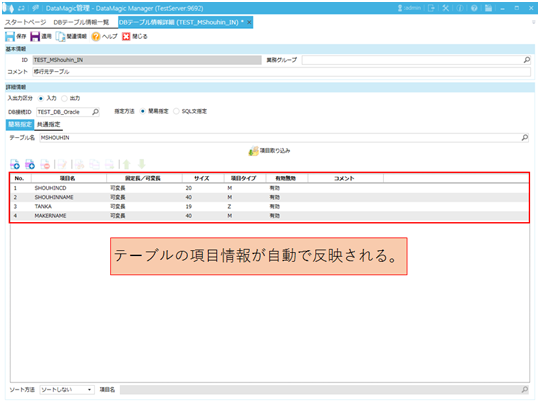
DB table item information is displayed on the screen all at once
You can also configure the connection to the destination database on the screen. Everything from initial database setup to migration settings can be completed on the screen.
Issues when migrating DB data
Data processing mapping settings
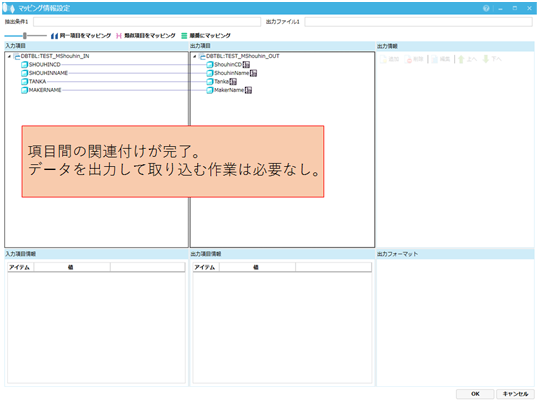
Easily associate fields on the screen
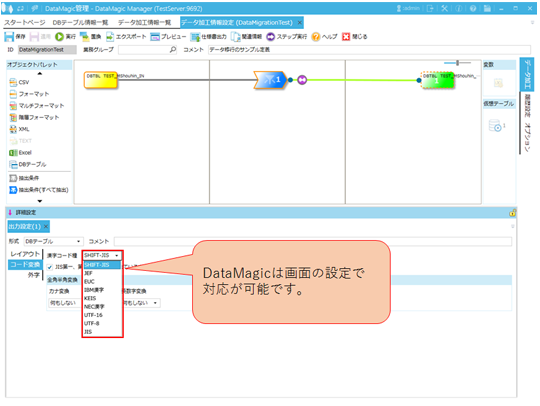
There may be cases where there are differences in character codes between databases. In such cases, DataMagic 's code conversion function can be used to smoothly migrate data while absorbing the differences in character codes.
When there is a difference in character encoding
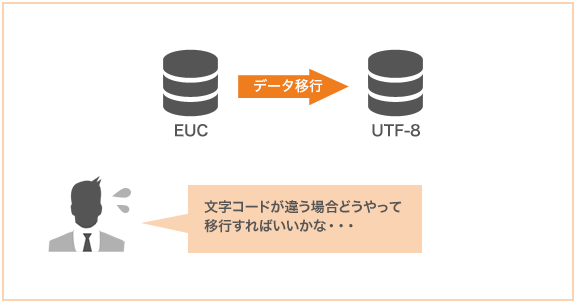
Character code conversion possible in screen settings
Benefits of using DataMagic
- Because migration settings can be configured without programming, DB data migration can be performed without knowledge of SQL, which is expected to improve the efficiency of DB data migration work.
- DataMagic can be integrated with RDBMS such as Oracle, SQL Server, PostgreSQL, DB2, and also Access and FileMaker via ODBC. DataMagic can be integrated with various RDBMSs.
- When migrating data, DataMagic can perform filtering to remove invalid data and data cleansing to standardize data with inconsistent input formats.
- DataMagic has a matching function that allows you to compare multiple files. This function allows you to compare tables before and after migration to ensure complete data migration.
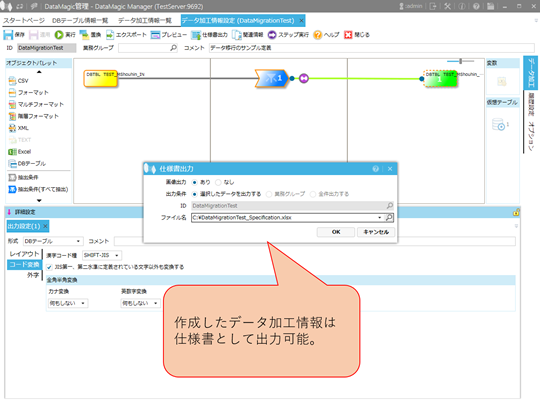
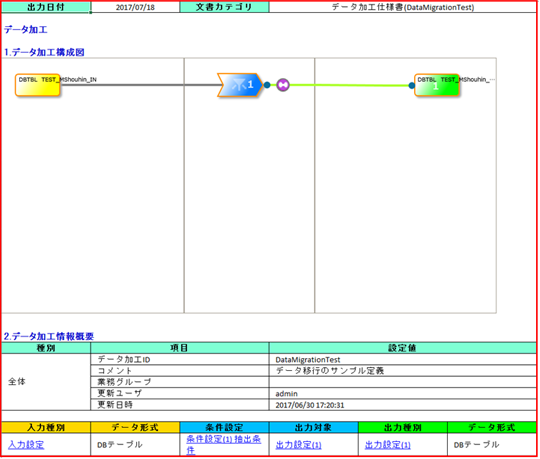
- DataMagic has a specification output function. This function exports DataMagic setting information. It can reduce the cost of creating design documents. The ability to output specifications also improves the management and maintainability of data processing information.
Image of specification output processing
You can check the detailed setting information in the specifications
Conclusion
If you are interested in DB data migration work, please download DataMagic trial version and try it out.
Of course, DataMagic is also useful when operating a new database after data migration. Please also take a look at our other technical columns.
- The trial version is free to use for 60 days.
- After you sign up for the trial version, you will receive 90 days of free technical support.
DataMagic Column List
- DataMagic Manager Installation
- "DataMagic" is recommended for its "fast, cheap, and easy" features.
- Vol.1 Character code conversion: EBCDIC⇔Shift_JIS
- Vol.2 Character Code Conversion: External Character Codes
- Vol.3 Character Code Conversion: Unicode (UTF-8)
- Vol.4 Data Conversion: Pack⇔Zone Edition
- Vol.5 (Fixed length ⇒ CSV data conversion)
- Vol.6 (Special Edition) HUB+ DataMagic Collaboration Case Study
- Vol.7 <Distribution BMS ⇒ CSV Conversion>
- Vol.8 <Matching Processing>
- Vol.9 (Full-width⇔Half-width Conversion)
- Vol.10 (DB table data extraction)
- Vol.11 Data Correction
- Vol.12 〈String Replacement〉
- Vol.13 (Special Edition) DataMagic Implementation Case Studies
- Vol.14 (Data sorting and file division)
- Vol.15 Data Collection
- Vol.16 File Merging
- Vol.17 HULFT Definition Bulk Registration
- Vol.18 (Special Edition) HULFT-WebFiletransfer + DataMagic Integration Case Study
- Vol.19 (Introduction Case Studies) Our company's use cases
- Vol.20 Data Masking
- Vol.21 (DB Migration Edition)
- Vol.22 <Common Components: EBCDIC Code Replacement>
- Vol.22 Appendix <Common Component Import and Execution Procedures>
- Vol.23 <Common Components: Date Conversion Function Extension>
- Vol.24 〈Resolving customer requests!: Common components that can process data even if there is invalid data〉